Go to the Home Page - IECI Logo

Interworld Electronics

 
and Computer Industries Inc.         
Interworld Electronics Home Page
  Your ALT-Text here Home    Your ALT-Text here Data Acquisition    Your ALT-Text here Pico  
PicoScope 5000
PicoScope 3000
PicoScope 2000
ADC-200-100 
ADC-40/42/and ADC-100 
ADC-20 and ADC-24
ADC-212 and ADC-216  Precision PC Based Oscilloscope
USB Pen Scope
Software Options for the ADC-200
Palm to ADC-16 (Application Note)
Temperature & Humidity 
High Speed High Resolution ADC-212
DrDaq Low Cost Data Acquisition 
Automotive Products
Demo Software and Upgrades
Enviro Mon Data Logger for  temperature etc.
DrDaq Low Cost Data Acquisition 
PicoLog  Logging Software
Press Releases 
Technical tips

EnviroMon Dynamic Web pages

pico-name.GIF (1435 bytes)
   
New application software will soon be available which enables the EnviroMon system
to display graphical data ‘live' on the web.  Applications range from cold storage
warehousing companies that wish to publish their records, to ski resorts that wish to
automatically display local weather conditions.
 
See an example of the waveforms from the Pico Technology building at:


US Prices
CDN Prices

Privacy and Security

Application notes from the Pico web site
Science experiments from the Pico web site
Electronics Magazine Write Up On The DrDAQ
U.K. Computer Shopper Review of DrDAQ
Test & Measurement World Article on ADC_212
(800k Pdf document)
 

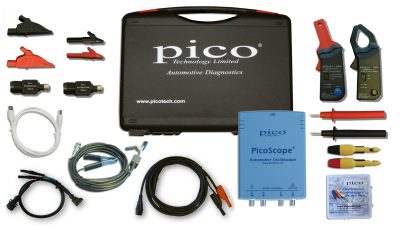
Automotive Diagnostic Kits


See our Special Listed on our Home Page  http://www.interwld.com/index.htm


Technical Tip
Using multiple products on the same PC
 

It is possible to use more than one converter on a single PC and display all channels with the same copy of PicoLog. For example if you need sixteen channels of temperature measurement, use two eight channel TC-08s on the same PC. Different products can also be mixed on the same PC, for example a TH-03 could be used at the same time as an ADC-200.

Multiple-converter operation is available only in 'Real time continuous' mode. Each converter must have a separate port: you can use either standard serial/parallel ports or our USB adapters

To configure PicoLog to use multiple converters:

*       Choose File | New Settings
*       Check the ‘use multiple converters’ box
*       Continue the set up process in the
         normal way


Return to top of page


 USA Office: Tel: 1-877-902-2979    Fax: 1-877-FAX-IECI     Pacific  Time Zone    
                   Tel:1-425-223-4311    Fax: 1-425-223-4303     Pacific Time Zone
P.O. Box 1280. Street Address: 145 Tyee Drive, Point Roberts, WA 98281

Sales inquiries to:  sales at interworldusa.com  Support & Service: support at interworldusa.com

Western Canada: - Vancouver, B.C. Tel: 1-(604) 925-6150    Fax: 1-(604) 925-6170 Toll Free:1-(800) 663-6001

    2454 Haywood Ave, West Vancouver, B.C. V7V 1Y1
  Eastern Canada: - Markham, Ontario Tel: 1-(905) 513-7027    Fax: 1-(905) 513-7029 Toll Free:1-(800) 465-0164
3555 14th Ave, Unit 12, Markham, Ontario L3R 0H5

Sales inquiries to:  sales at interworld.ca    Support & Service: support at interworld.ca

To visit our Australian web site, please click here.