Introduction 
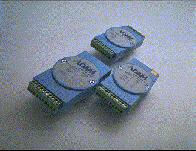
Simple configuration, easy programming and supported by major DA & C packages - these are just a few reasons to use Advantech's ADAM 4000 modules.
Analog input modules use microprocessor-controlled high resolution 16-bit sigma-delta A/D converters to acquire sensor signals such as voltage, current, thermocouple or RTD. They then translate digital data into one of the following formats: engineering units, % of FSR, two's complement for Ohms. After the modules receive a request from the host, they send the data in the desired format over the RS-485 network.
ADAM analog input modules protect your equipment from ground loops by providing 500VDC isolation. All analog input modules feature digital inputs and outputs which may also be used for alarm and event counting.
Analog input modules use microprocessor-controlled high resolution 16-bit sigma-delta A/D converters to acquire sensor signals such as voltage, current, thermocouple or RTD. They then translate digital data into one of the following formats: engineering units, % of FSR, two's complement for Ohms. After the modules receive a request from the host, they send the data in the desired format over the RS-485 network.
ADAM analog input modules protect your equipment from ground loops by providing 500VDC isolation. All analog input modules feature digital inputs and outputs which may also be used for alarm and event counting.
Easy-to-use menu-driven utility software make configuration and calibration a snap. Its terminal emulation program lets you easily read from and write to ADAM modules. Writing application programs with this software (GENIE 2.0) is simple, you can learn the basics in just a few minutes.
Applications
Specifications
Communication
- RS-485 (2-wire) to host
- Speeds: 1200, 2400, 4800, 9600, 19200 bps
- Max. communication distance: 4000feet (1.2Km)
- Power and communication LED indicator
- ASCII command/response protocol
- Communication error checking with checksum
- Asynchronous data format: 1 start bit, 8 data bits, 1 stop bit, no parity
- Up to 256 multidrop modules per serial port
- On-line module insertion and removal
- Transient suppression on RS-485 communication lines
Power Requirements
- Unregulated 10 30 VDC
- Protected against power reversal
Mechanical
- Case: ABC with captive mounting hardware
- Plug-in screw terminal block:
Accepts 0.5 mm² to 2.5 mm²
1-#12 or 2-#14 to #22 AWG
Environment
- Operating temperature: 14 to 158ºF (-1000 to 70ºC)
- EMI: Meets FCC Class A
- Storage temperature: -13 to 185ºf (-25 to 85ºC)
- Humidity: 5 to 95%, non-condensing
Analog Input
- Input type: Pt, or Ni RTD
- RTD types and temperature ranges:
Pt -100°C to 100°C a = 0.00385
Pt 0°C to 100°C a = 0.00385
Pt 0°C to 200°C a = 0.00385
Pt 0°C to 600°C a = 0.00385
Pt -100°C to 100°C a = 0.003916
Pt 0°C to 100°C a = 0.003916
Pt 0°C to 200°C a = 0.003916
Pt 0°C to 600°C a = 0.003916
Ni -80°C to 100°C
Ni 0°C to 100°C
Characteristics
- Isolation voltage: 500 VDC
- Sampling rate: 10 samples/sec
- Bandwidth: 4 Hz
- Accuracy: ±0.05% or better
- Zero drift: ±0.3 µV/°C
- Span drift: ±25 ppm/°C
- CMR @ 50/60 Hz: 150 dB
- NMR @ 50/60 Hz: 100 dB
Power
- Power requirements: 10 to 30 V (non-regulated)
- Power consumption: 1.2 W
Ordering Information
- ADAM-4013
Analog Input Module: RTD
- Q. How do you calibrate an ADAM-4013?
- A. Please do the following steps for calibration:
- 1. Execute ADAM.EXE
- 2. Search the ADAM-4013 module
- 3. Select Calibration item
- 4. Wiring should be:
| R |
Connection |
| |
IEXC, SENSE |
| - |
-IEXC, -SENSE, AGND |
Note: The AGND is ground reference that needs to be connected when applying IEXC for exciting the power source. It also provides a reference ground for the external power as exciting source.
- 5. Set offset calibration to R = 60 Ohms, and span calibration to R = 140 Ohms.
- 6. Connect a variable resistor, (200 Ohm) for testing.
|